Issue: App is white on opening or will not open or crashes on start.
Follow the steps below in order until cleared.
 | 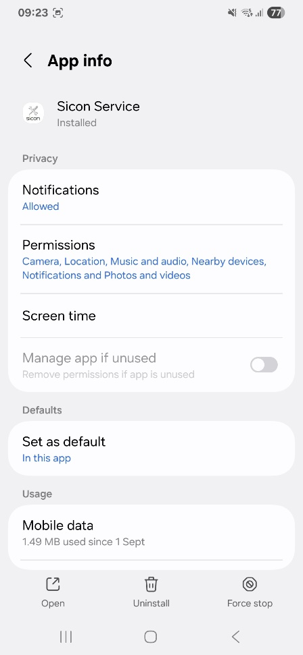 | 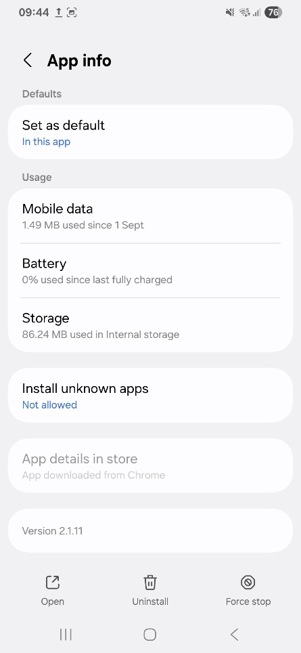 |  |
- Try force stopping the app.
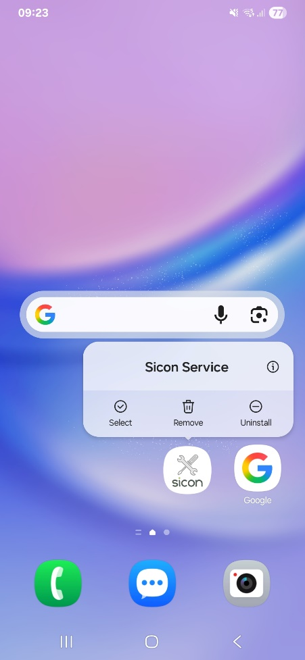
- Long press on the Sicon icon.
- Press the ‘i’
- Select Force stop
- Attempt to reopen the app
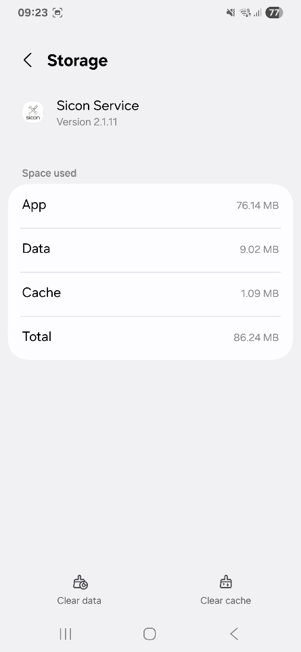
- Try clearing the cache
- Long press on the Sicon icon.
- Press the ‘i’
- Select storage
- Select Clear Cache
- Try clearing data
- Long press on the Sicon icon.
- Press the ‘i’
- Select storage
- Select Clear data
- Reopen the app and relogin
Was this article helpful?
That’s Great!
Thank you for your feedback
Sorry! We couldn't be helpful
Thank you for your feedback
Feedback sent
We appreciate your effort and will try to fix the article